


Solitaire - Classic Card Game
4.810.07K Reviews
App Specs
- Version
- 28.5.6
- Updated On
- License
- Free
- Downloads
- 5,000,000+
- Developer
- DNA Mobile Group
- Categories
- Card
- Platform
- Android
Screenshots

 Analysis by AppCompare
I like a card game that can fit into the small gaps of an ordinary day: a quiet wait, a short break between chores, or a few minutes before bed. That’s where Solitaire - Classic Card Game makes sense. It is a familiar single-player pastime rather than a demanding hobby, and its straightforward format makes it easy to pick up without asking anyone else to join in. For a household sharing a phone or tablet, that simplicity is useful—but it also makes a little care around whose game and settings are on screen worthwhile.
A small game that can suit a shared device
Picture a tablet left on the kitchen counter while one person waits for dinner and another is finishing a task. A quick Klondike round gives either of them something to do without needing a network of players or a coordinated start time. I’d treat it as a pass-the-device activity only if everyone is comfortable with the same on-screen setup; solitaire is designed around one player’s decisions, so taking turns is more natural than trying to play a single hand together.
That distinction matters in a family setting. A person can hand over the device between games, but an unfinished deal, personal statistics, or preferred presentation may make the experience feel like someone else’s session. I would agree on a simple boundary—finish or leave the current round, then let the next person begin—rather than assume the game provides separate household profiles. That keeps a casual shared-device arrangement pleasant without relying on controls I can’t vouch for.
Keep the setup comfortable for each player
Large, readable cards are a practical advantage when the screen is held at arm’s length or used by someone who finds small symbols tiring. Before settling into a longer session, I’d check that the device’s display is comfortable for the person playing and that the card faces are easy to distinguish. This is a more useful first step than spending time choosing a decorative background: a clear board helps every move, while a theme is mainly a matter of taste.
The game is free to download, with optional in-app purchases priced from $0.99 to $19.99 per item. That does not mean a household needs to buy anything to try the basic pastime. I’d make the purchase boundary explicit if a child or another family member uses the same device, and check the device’s own purchase settings rather than assume the game supplies a family approval system. It is a small bit of housekeeping that can prevent an unexpected decision during an otherwise simple game.
Take turns without turning it into a contest
Solitaire works best here as a low-pressure solo activity. The app’s statistics can give an individual a reason to revisit a personal result, but that kind of record is not automatically a fair way to compare people who play at different speeds or approach a deal differently. If several people use the device, I’d treat scores as personal reference points, not a household leaderboard. The cards still provide the main entertainment; a number beside a name is not necessary for a satisfying round.
For a practical routine, one person can play during a commute or waiting period, then leave the device available for someone else later. If the device moves between adults and children, I’d close or finish the current game before handing it over and avoid sharing any personal account details through the device itself. Those are ordinary shared-device habits, not special Solitaire functions, but they make the experience easier to manage.
Worth Reading Before You Choose

Flipboard Shows What News Apps Must Do Beyond the Feed

Switching to Android Auto Means Rethinking Your Driving Routine

Google Calendar Makes a Crowded Week Easier to Manage

Ludo King Makes the Most of the Minutes Between Plans

Baby Panda World Brings Quick Play to Modern Phones, but Its Game Library Feels Busy

ESPN’s Live Game View Makes Following Close Games Easier
Age context and a sensible level of trust
This is a card game rated for Everyone, and its familiar rules make it approachable for a broad range of ages. A younger player may still need help understanding how the tableau and foundation piles work, but the activity itself is easy to explain with the cards on screen. I’d use it as a quiet game rather than as a substitute for a shared activity that needs conversation or cooperation; the central appeal is making your own choices at your own pace.
DNA Mobile Group is the developer, and the game has a 4.8 average from around 70,000 ratings, with more than five million installs. Those figures suggest that many people have found a reason to keep this familiar format on their devices, though popularity does not tell me whether it suits every household. My own decision would rest more on whether the player wants a calm, individual card puzzle and is comfortable with the game’s on-screen presentation and optional purchases.
The Allure of the Classic
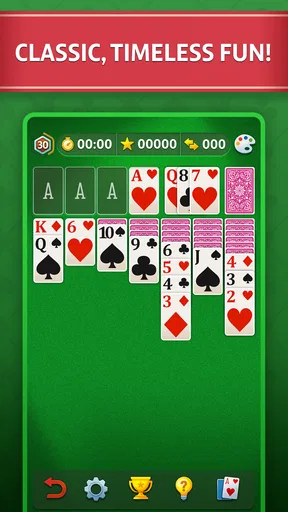
When I first downloaded Solitaire - Classic Card Game, I was instantly hit with a wave of nostalgia. Remember those days when you'd sneak a quick game on your desktop computer between tasks? Well, this app brings back those moments but with a modern twist. The interface is sleek yet simple, staying true to the classic look while making everything more visually appealing. The cards are clear and easy to read, and the animations are smooth, making for a delightful experience.
The Gameplay Experience
Let’s dive into the gameplay, shall we? The app offers several variations of solitaire, but I mostly stuck with the classic Klondike version. It’s a single-player game that requires both strategy and a little bit of luck. The objective is straightforward: move all cards to the foundation piles, sorted by suit and in ascending order. Sounds simple, right? But don’t be fooled. As you progress, it becomes a brain-teaser that’s seriously addictive.
One of the things I appreciate is the intuitive touch controls. Dragging and dropping cards feels natural, and there's even an option to tap to move cards, which speeds up gameplay. Plus, the app tracks your statistics, so you can compete against your personal bests or try to beat your friends' scores. This competitive edge adds a nice layer to the classic game.
Features That Stand Out
Now, let’s talk features. This app isn't just a pretty face; it packs a punch with a host of handy features. Firstly, there’s the undo button, a lifesaver for those moments when you realize you’ve made a terrible mistake. Trust me, you’ll be using it more than you’d like to admit!
Then, there’s the daily challenge mode, which is a fun way to keep things fresh. Each day, you get a new puzzle to solve, which adds an element of surprise and keeps you coming back for more. It’s like a daily mental workout, and who doesn’t love a good brain stretch?
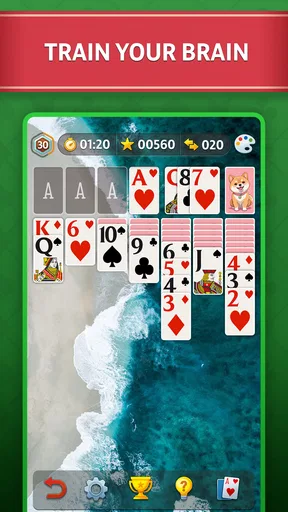
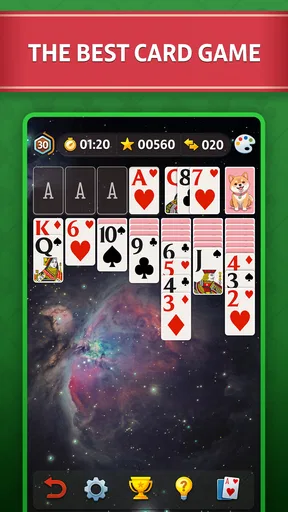
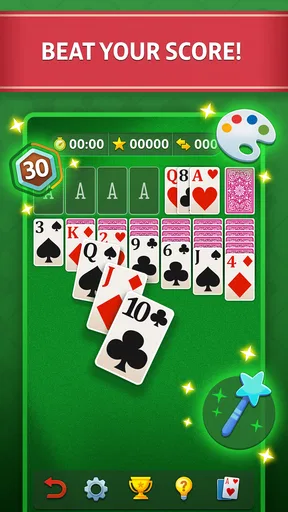
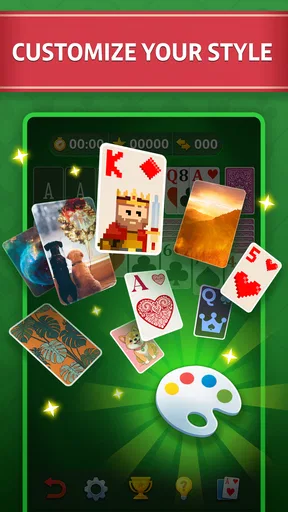
The app also offers customizable themes, allowing you to change the background and card designs. Whether you want a classic green felt or something more exotic, there’s something to suit every mood. And let’s not forget the relaxing background music and sound effects that accompany your gameplay. It’s like having a little zen garden right in your pocket.
A Few Considerations
While I’ve been singing its praises, no app is without its quirks. Occasionally, you might encounter an ad between games. I get it—developers need to keep the lights on, but sometimes it can be a bit distracting. Fortunately, there’s an option to remove ads with a small purchase, which is worth considering if you’re a frequent player.
Another thing to note is that some features, like the more exotic card themes, are locked behind the paywall. It’s not a dealbreaker by any means, but something to keep in mind if you’re particular about aesthetics.
Different expectations from a card game
Compared with a multiplayer card app, this one asks less of your time and attention: there is no need to wait for opponents or arrange a session. That is an advantage when I want a puzzle I can pause between everyday tasks. The trade-off is equally clear. Players looking for conversation, shared strategy, or a changing social match will be better served by a game built around other people. This is a solitary diversion first, even when friends compare their results afterward.
It also occupies a different corner of the card-game shelf from collectible-card games, which tend to revolve around building a deck and learning a wider set of rules. Here, the familiar Klondike goal is the draw, and a round can be understood quickly. If you already know classic solitaire, you can get straight to the decisions; if you don’t, the basic task is simple enough to learn by watching how cards move between the columns and foundations.
Small habits that make a round smoother
I find it helps to pause before moving a card simply because it is available. In Klondike, uncovering a face-down card can be more valuable than making an immediate foundation move, since a newly revealed card may open up several choices. The undo button is useful for checking a decision, but I’d use it as a learning aid rather than tapping through every move until the board looks perfect. That keeps the puzzle engaging instead of turning it into trial and error.
Tap-to-move is convenient when I’m playing one-handed or want to make a quick, precise move; dragging feels more deliberate when I’m studying the tableau. Switching between the two approaches is a small but practical way to match the controls to the moment. If a round begins to feel like busywork, I’d stop at a natural point rather than chase a personal statistic. The app is most satisfying when the pace stays relaxed.
The daily challenge is another way to give a brief session a clear purpose, while an ordinary deal is better when I just want to play without making a plan. Those options suit different moods: a set daily puzzle can become a routine, but it may feel like an obligation if I prefer to dip in only when I have time. I would not treat a missed day as a lost streak or a reason to keep playing longer than I want.
Who will enjoy it—and who may prefer something else
I’d recommend this game to someone who already likes Klondike, wants legible cards, and values a quick solo activity over a deep campaign or a social lobby. It can also suit a newcomer who wants to learn the familiar rules at their own pace. The undo control makes experimentation less punishing, and the different ways to move cards let the game feel comfortable whether I’m taking my time or fitting in a short round.
I would steer away from it if you want every session to involve other players, a story, or a steady stream of new mechanics. Its strengths are familiarity and convenience, not dramatic variety. Likewise, if advertisements between games interrupt your concentration, that friction is worth weighing before making it a regular part of your routine. The optional purchase to remove ads may appeal to frequent players, but I’d first decide whether the free experience already works for me.
What to expect before settling in
The game is free, and optional purchases range from $0.99 to $19.99 per item, so there is a difference between trying a round and choosing to spend. I’d treat purchases as optional extras rather than a requirement for discovering whether solitaire suits me. The game is rated for Everyone, and the current version is 28.5.2; it was released on April 22, 2018, and requires Android 9 or later. It is a card game from DNA Mobile Group, not a multiplayer service I’d choose for a planned group gathering.
A common practical question is whether it fits a very short break. In my experience, the basic format does: I can start a deal without needing to coordinate with anyone, and the undo option gives me room to correct a misstep. Another is whether it can become a shared family game. People can take turns on one device, but the actual play remains individual, so it works better as a shared pastime than as a cooperative match. For younger players, the age rating is reassuring, though an adult may still want to explain the rules and set the household’s normal boundaries around purchases and device use.
Final Thoughts
All in all, Solitaire - Classic Card Game is a delightful app that brings the classic card game experience right to your fingertips. It’s a perfect blend of nostalgia and modern convenience, making it a must-have for both solitaire veterans and newcomers. Whether you’re looking to pass the time on your commute or unwind after a long day, this app has got your back.
So, why not give it a whirl? It’s free to play, easy to pick up, and hard to put down. And who knows? You might just find yourself hooked on the simple joy of stacking cards once more. Happy gaming!
Pros
- Smooth and intuitive user interface.
- Minimalistic design enhances focus.
- Multiple difficulty levels available.
- Offline play mode supported.
- Daily challenges for extra fun.
Cons
- Ads can be intrusive at times.
- Limited customization options.
- No multiplayer feature.
- Repetitive background music.
- Occasional lag on older devices.
FAQs for Solitaire - Classic Card Game
What features make Solitaire - Classic Card Game stand out from other solitaire apps?
Solitaire - Classic Card Game offers a blend of classic gameplay with modern features. It includes customizable card designs, daily challenges, and a hint system for beginners. The app also provides a smooth, ad-free experience and offline play capability, making it a standout choice for solitaire enthusiasts.
Is Solitaire - Classic Card Game free to play, or are there in-app purchases?
The app is free to download and play, offering a standard solitaire experience without any cost. However, it does include optional in-app purchases for premium features, such as exclusive card themes and ad removal, allowing users to enhance their gaming experience if they wish.
Can I play Solitaire - Classic Card Game offline?
Yes, Solitaire - Classic Card Game supports offline play. This feature is perfect for users who want to enjoy the game without an internet connection, such as during travel or in areas with limited connectivity. Your progress is saved locally, ensuring continuity in your solitaire sessions.
How user-friendly is Solitaire - Classic Card Game for new players?
The app is designed to be user-friendly, with intuitive controls and an easy-to-navigate interface. It features a comprehensive tutorial for beginners, as well as a hint system that guides new players through tricky moves, making it accessible for all skill levels.
Are there any social features in Solitaire - Classic Card Game?
While Solitaire - Classic Card Game primarily focuses on solo play, it includes leaderboards and achievement tracking. Players can compete with friends or others globally, aiming for high scores and completing daily challenges, adding a competitive edge to the classic card game.


